THE SCANNER
Code Scanner: AST-Level Analysis for Every Function
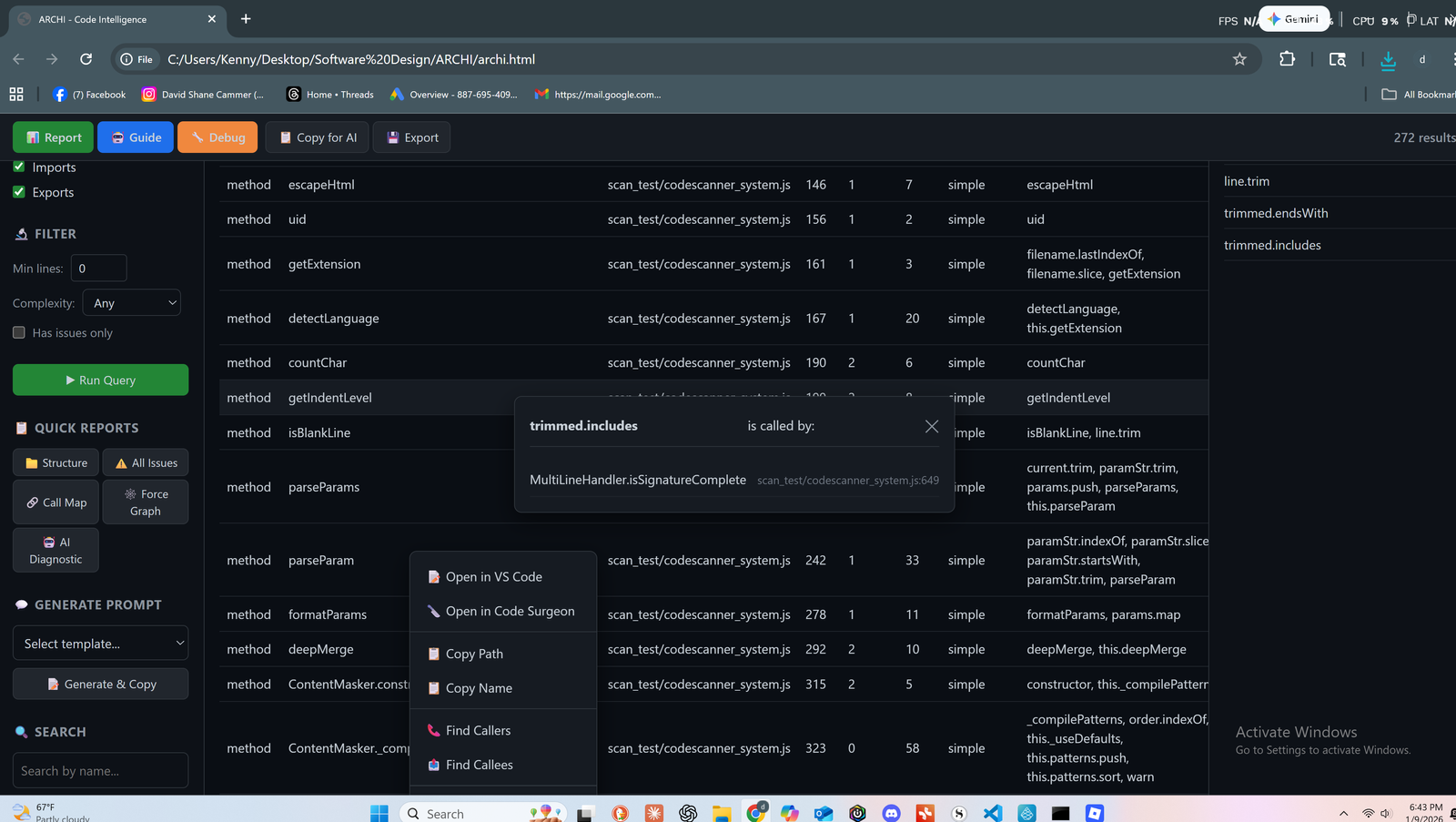
The Scanner parses your code into an Abstract Syntax Tree, then extracts structured data: function signatures, class hierarchies, parameters, return types, and relationships.
Why Text Search Will Always Fail You
Text Search (grep, Ctrl+F)
- Search "handleUser"—get 200 results
- Which is the definition?
- Which are calls?
- Which are comments or strings?
- Manual filtering required
LOOM Scanner
- Search "handleUser"—get THE function
- Parameters: userId, options
- Return type: Promise<User>
- 23 callers across 8 files
- Instantly. Categorized. Complete.
The difference? LOOM understands structure, not just text. See the full comparison
Complete Element Profiles
For every code element, LOOM extracts a comprehensive profile—not just the name.

Functions & Methods
- Name and fully qualified path
- Parameters with types
- Return type declarations
- Line span (start to end)
- Associated docstrings
- Scope path hierarchy
- Body hash for change detection

Classes & Types
- Class name and file location
- Inheritance chain
- Interface implementations
- All contained members
- Static vs instance
- Access modifiers

Imports & Exports
- Import sources resolved
- Named vs default exports
- Re-exports and barrels
- Circular dependencies flagged
- Dead imports identified

Variables & Constants
- Declaration type (const, let, var)
- Inferred or declared type
- Scope and visibility
- Assignment patterns
- Usage locations
Scanning Modes for Every Need
Not every scan needs the same depth. Choose the mode that fits your workflow.
Quick
Fast structural overview. Perfect for CI/CD or initial exploration.
~1000 files/min
Standard
Full extraction with relationships. The default for daily work.
Balanced
Deep
Maximum detail including body analysis and complexity metrics.
Full extraction
Security
Focused on vulnerability patterns and data flow paths.
Security-first
True Syntactic Understanding
Regex-based tools guess at structure. They can't distinguish a function definition from a function call from a comment that mentions the function name.
LOOM parses the actual syntax tree. It handles nested functions, complex inheritance, dynamic imports, decorators, destructuring, and async patterns correctly.
The extracted data is as accurate as your language server.
Handles What Others Can't
Nested Functions
Closures, callbacks, IIFEs—all tracked with proper scope chains.
Complex Inheritance
Multi-level hierarchies, mixins, interfaces—full chain analysis.
Dynamic Imports
Lazy loading, code splitting—detected with confidence levels.
Decorators
Python and TypeScript decorators captured with their targets.
Destructuring
Object/array patterns correctly resolved to original sources.
Async Patterns
async/await, generators, yields—tracked through call chains.
Powers the Entire Platform
Scanner output flows directly into every other LOOM component. One scan, complete intelligence.
See What Your Code Is Really Made Of
The Scanner is just the beginning. Let LOOM reveal the complete picture.
Free tier available. No credit card required.